
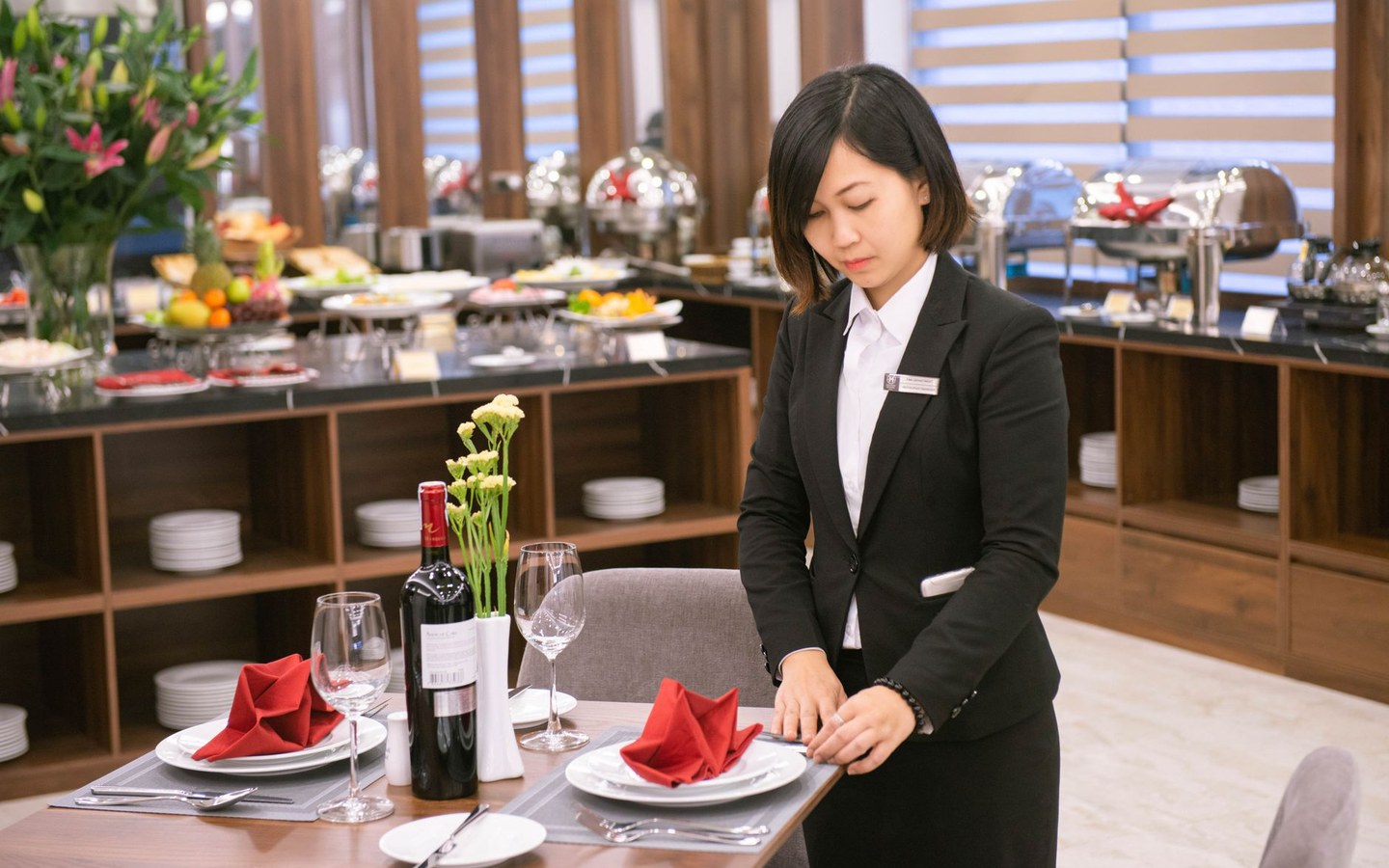
First impressions are almost entirely visual
A boutique hotel might have thirty room and amenity photos live across three OTAs plus its own site. A restaurant might juggle dish shots, dining room angles, and terrace photos for delivery apps and social. Each channel has different crop habits and file limits.
Guests engage with properties that look coherent. Same logo treatment on marketing imagery, sensible sharpness, files that load on mobile data in rural locations. Stampi handles that finishing layer after your photographer or in-house shoot.
Room images, dishes, and lobby shots in one batch
A country inn refreshes spring photography: double room, twin room, breakfast room, bar, garden. The owner shoots on a DSLR Sunday afternoon. Monday they need Booking-ready JPEGs with a subtle crest logo and smaller files for the website gallery.
A city bistro updates delivery platform photos after a menu change. Sixteen dishes photographed on the pass under warm lights. Each needs consistent crop feel and logo before upload to three aggregators. Batch processing beats editing every plate photo while service prep continues.
OTA listings and owned channels together
OTAs often recompress uploads. Starting with oversized files does not help. Resize to sensible longest edge, compress while checking highlights on white bedding and chrome fixtures, then add logo if brand guidelines allow on listing imagery.
Owned channels can use the same branded batch with additional social exports. Instagram square for room features, Facebook link preview for event posts, web JPEG for your direct booking engine.
- Web optimised for property websites and direct booking
- Instagram square for hospitality social grids
- Facebook link preview for restaurant events and hotel offers
- Original plus branded when OTAs want unmarked alternates
Lean teams behind the property
General managers and owners often edit photos at the desk after close. No agency on retainer, no full-time content producer. Stampi is free and needs no install, which fits properties where one laptop handles everything from payroll to posting.
Local browser processing suits properties cautious about uploading high-resolution room sets to unknown servers. Files stay on device during prep, then you upload only what each channel requires.
Honest scope for hospitality marketers
Stampi does not reply to guest reviews, send pre-arrival messages, or manage loyalty tiers. It prepares branded visual assets for the places guests discover you. If hospitality customer engagement for your property means better photography consistency, that is the fit.
Open the tool, upload the shoot folder, set logo once, export, download. Spend saved time on guest experience instead of nudging watermarks pixel by pixel.
Menus, wine lists, and delivery app thumbnails
Restaurants maintain parallel galleries: the dine-in menu PDF, the Deliveroo grid, and the Instagram story of tonight's special. Dish photography shot on the pass can feed all three if exports are planned. Stampi resizes and brands without forcing the chef to restyle plates between shots.
Hotels with room service menus reuse room photography in email pre-arrival flows. Guests recognise the suite category they booked when the upsell email shows the same branded angle as the booking engine.
Delivery platforms crop thumbnails aggressively. Export slightly tighter compositions in a dedicated batch if logos risk clipping on circular thumbnails. Preview on a phone before you upload forty dishes.
Spa, gym, and amenity galleries inside hotels
Full-service hotels market spas and gyms with photography that must match room imagery on the same OTA profile. Guests expect one visual language across categories. Batch branding across amenity folders prevents the spa section looking like a third-party advert.
Restaurant hotels shoot breakfast buffets early before guests arrive. Those files feed the website, Google, and pre-arrival upsell emails the same day if batch prep is routine.
Pool and terrace shots often include strong highlights. Use preview to check logo contrast on bright water before processing the full seasonal set. The same check helps bar and restaurant glassware shots where reflections can swallow a faint watermark.
Function rooms photographed empty for corporate enquiries should use the same logo treatment as leisure imagery. Sales teams forward ZIPs to planners who judge capacity partly from photos before they request a quote.
Guesthouses with fewer than twenty rooms still compete on imagery quality against chains. Batch branding makes a solo owner look as consistent as a regional revenue team on OTAs and Instagram.
Afternoon tea and Sunday lunch promotions reuse dining room photography across email, menus, and social. Brand once when the table settings are fresh rather than scrambling each Sunday morning.
Frequently asked questions
Do OTAs allow logos on room photos?
Policies vary by platform and chain agreement. Some allow subtle property marks, others forbid overlays. Check current OTA guidelines before batching logo versions. Stampi makes it easy to export both branded and unbranded sets from the same upload when you need both.
How do we keep food photos sharp after compression?
Shoot with adequate light, then compress conservatively using preview. Sauce highlights and steam blur punish heavy compression. Resize to platform maximum rather than uploading huge files that platforms will squash unpredictably.
Can Stampi fix colour casts from restaurant lighting?
No colour grading tools. Warm dining room light is a creative choice; fix white balance in Lightroom or similar before Stampi if needed. Stampi focuses on logo, resize, format conversion, and compression.
We refresh photography seasonally. Workflow tips?
Store source shoots by season in dated folders. Keep a master logo PNG and a note of margin and opacity. Each season rerun Stampi exports for OTAs, web, and social in one sitting. Replace only the shots that changed after refurbs or menu updates. Archive last season's ZIP in case you need to rollback a hero image while new files are still in proof.
Can front-of-house staff prepare images?
Yes. Stampi needs no install and no account. A duty manager can batch after close using the property logo on the shared drive. Keep a one-page internal guide with screenshots of logo settings so night staff get the same result as the marketing coordinator. The guide should list which exports OTAs need versus which sizes the restaurant Instagram account uses.
Is Stampi free to use?
Yes. Stampi is free with no subscription, no credit card, and no trial that expires. Open the app, upload your files, and download the results. We built it that way on purpose because photo prep is annoying enough without a paywall in the middle.
Do I need to create an account?
No. Stampi runs in your browser with no sign-up. Images are processed locally on your device. When you close the tab or download your ZIP, the session is gone. We do not store your files on a server.
How do I get started?
Go to stampi.cc, upload your photos (or click Try with samples to load demo files), add your logo, pick your export formats, and hit Prepare Media. A ZIP downloads in seconds. That is the whole workflow.