
A format change, not a quality fix
Converting HEIC to JPG gets files into a shape portals accept. It does not fix a blurry or poorly lit phone photo; that stays blurry.
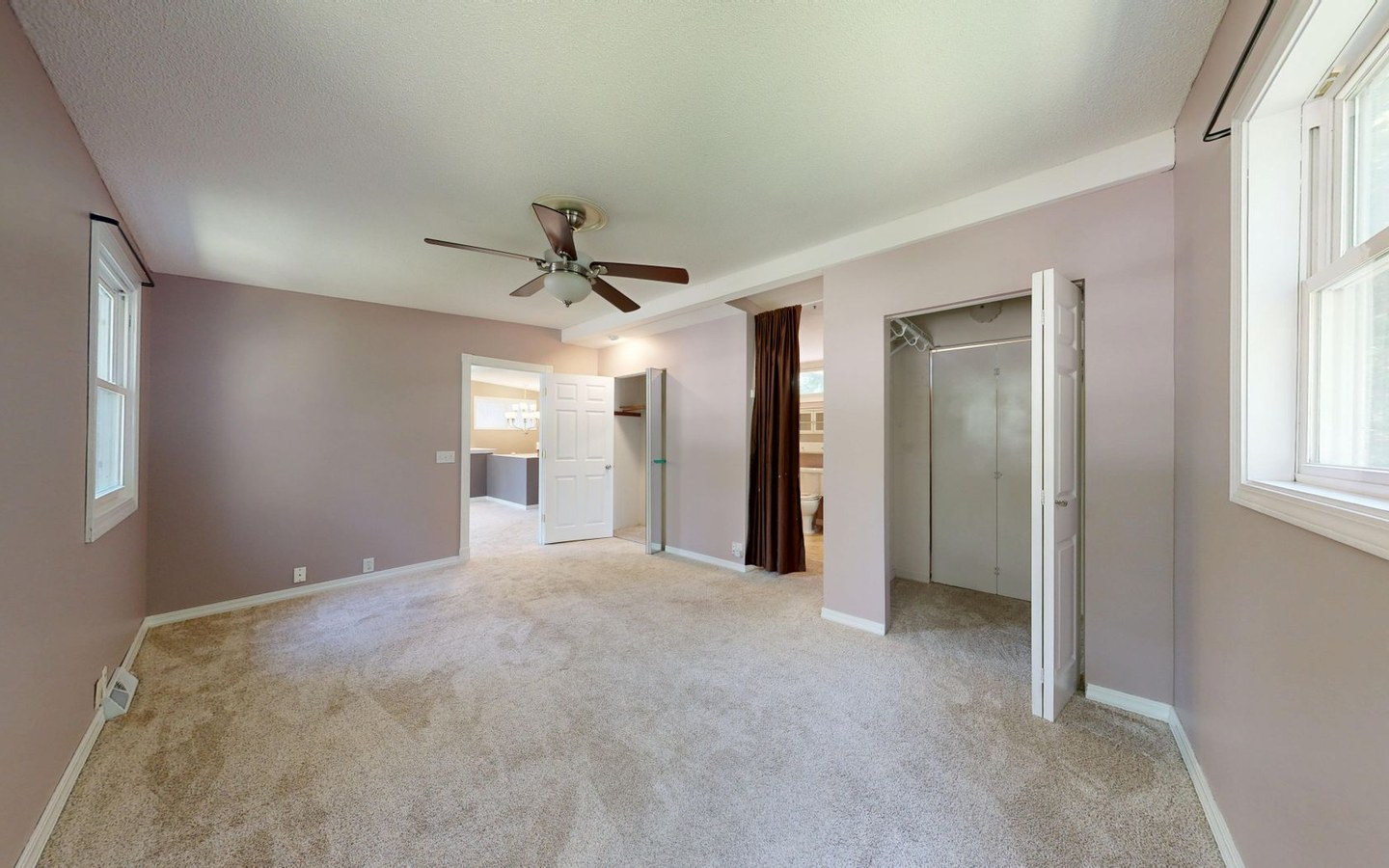
The value is removing the format blocker so a quick kitchen snap can go live today. Letting negotiators often photograph vacant rooms on site with whatever phone is in their pocket.
By the time they are back at the office, they have a mix of HEIC and JPG files from different devices. Stampi normalises the batch and can resize and brand in the same pass.
Live Photos and burst sequences from iPhones still need selecting down to one frame per room. Conversion handles format, not curation.
Night shots from phones with aggressive noise reduction look waxy after JPG conversion. Daytime room shots remain the realistic use case for phone marketing.
Common on busy letting desks
Negotiators often photograph vacant rooms on site with whatever phone is in their pocket. Landlords email HEIC attachments from iPhones without realising portals reject them.
Inventory clerks sometimes forward checkout photos in HEIC. Run them through conversion and branding before marketing re-lets.
Emergency lets after tenant abandonment often rely on phone snaps. Convert, brand, and upload the same day rather than waiting on a shoot slot.
Student void periods in July need same-day marketing from phone shots more often than professional shoots. Convert and upload rather than waiting for term-start rush.
Checkout reports sometimes include HEIC damage photos. Convert for the landlord email, but keep branding off dispute evidence unless policy allows.
Combine with portal export
After conversion, export directly to Rightmove dimensions at 1600px longest edge with your agency logo applied. One upload zone, one download ZIP, no bouncing between conversion apps and image editors.
Resize to sRGB JPG, compress sensibly, and add your branch logo in a single Stampi export. That is the standard chain for a fifteen to twenty photo rental listing.
Most agents upload identical photo sets to Rightmove and Zoopla. Prepare once after HEIC conversion and syndicate twice.
Branch logos on phone shots should match professionally photographed rooms on the same listing. Same Stampi batch keeps opacity and position consistent.
Furnished lettings with landlord-owned furniture still need consistent branch branding on room shots. Phone snaps of dining areas convert and brand like professional kitchen images.
When phone photos are good enough
Not every room needs a professional shoot. A well-lit kitchen snap on a modern iPhone can suffice for a quick re-let when void periods cost money.
Convert HEIC to JPG, resize to portal specs, and brand consistently with your other stock. Tenants compare thumbnails; mixed formats and sizes look sloppy even when individual shots are acceptable.
Honest framing matters more than format conversion. Wide-angle phone lenses distort small box rooms; batch export does not correct that.
Bright midday sun through patio doors blows highlights on phone sensors faster than on a proper camera. If windows are white boxes, no conversion fixes that.
Open-plan living spaces need stepping back; close phone shots distort proportions. Honest framing at capture beats any post-processing trick.
Mixed batches from multiple sources
Real instructions rarely arrive as a tidy folder of one format. You might have HEIC phone shots, 4000px photographer JPEGs, and a floorplan PDF in the same email thread.
Keep floorplans separate from room shots. Run HEIC and JPEG photos through Stampi together; convert, resize, compress, and brand in one pass.
Filename hygiene helps: prefix phone shots PHONE_ so admin knows which files came from which source.
Landlord WhatsApp attachments may arrive already downscaled. Upsizing those after HEIC conversion cannot restore lost detail.
Email clients sometimes strip EXIF and rename HEIC attachments unpredictably. Download to a folder locally before batch upload to Stampi.
Honest limits
HEIC conversion will not improve dynamic range or remove motion blur. If the shot is unusable, no format change saves it.
Aggressive compression after conversion can soften detail on exterior brick. Preview on a sample before processing twenty files.
Video from iPhones uses different formats entirely. This workflow targets still photos for portal upload.
Android HEIF variants appear occasionally in mixed households. Standardise on JPG output for CRM compatibility regardless of source device.
Screenshots of photos sent over WhatsApp are already degraded. Ask for originals attached to email or cloud links instead.
Frequently asked questions
Why do iPhones use HEIC instead of JPG?
Apple defaults to HEIC because it stores similar quality at smaller file sizes on the device. Property portals and most CRM upload forms have not caught up. They expect JPG. Converting at delivery time is routine for UK agents who receive phone shots from landlords and negotiators.
Can I convert HEIC and add a logo in one step?
Yes. Stampi converts HEIC to sRGB JPG, resizes to your chosen export profile, compresses, and applies your logo in one batch. That is the typical letting desk workflow when phone shots need to match professionally branded stock on the same listing.
Will converted JPGs upload to Rightmove without issues?
When exported to 1600px longest edge in sRGB JPG, converted files match Rightmove image guidance. Rejections are rare at those specs. If a file still fails, check the original for corrupt metadata rather than assuming conversion caused it. Preview before batch processing if you are unsure about a particular phone shot.
Is Stampi free to use?
Yes. Stampi is free with no subscription, no credit card, and no trial that expires. Open the app, upload your files, and download the results. We built it that way on purpose because photo prep is annoying enough without a paywall in the middle.
Do I need to create an account?
No. Stampi runs in your browser with no sign-up. Images are processed locally on your device. When you close the tab or download your ZIP, the session is gone. We do not store your files on a server.
How do I get started?
Go to stampi.cc, upload your photos (or click Try with samples to load demo files), add your logo, pick your export formats, and hit Prepare Media. A ZIP downloads in seconds. That is the whole workflow.